Home assistant add-on: Webtrees
I maintain this and other Home Assistant add-ons in my free time: keeping up with upstream changes, HA changes, and testing on real hardware takes a lot of time (and some money). I use around 5-10 of my >110 addons so regularly I install test machines (and purchase some test services such as vpn) that I don't use myself to troubleshoot and improve the addons
If this add-on saves you time or makes your setup easier, I would be very grateful for your support!


Addon informations







Thanks to everyone having starred my repo! To star it click on the image below, then it will be on top right. Thanks!

About
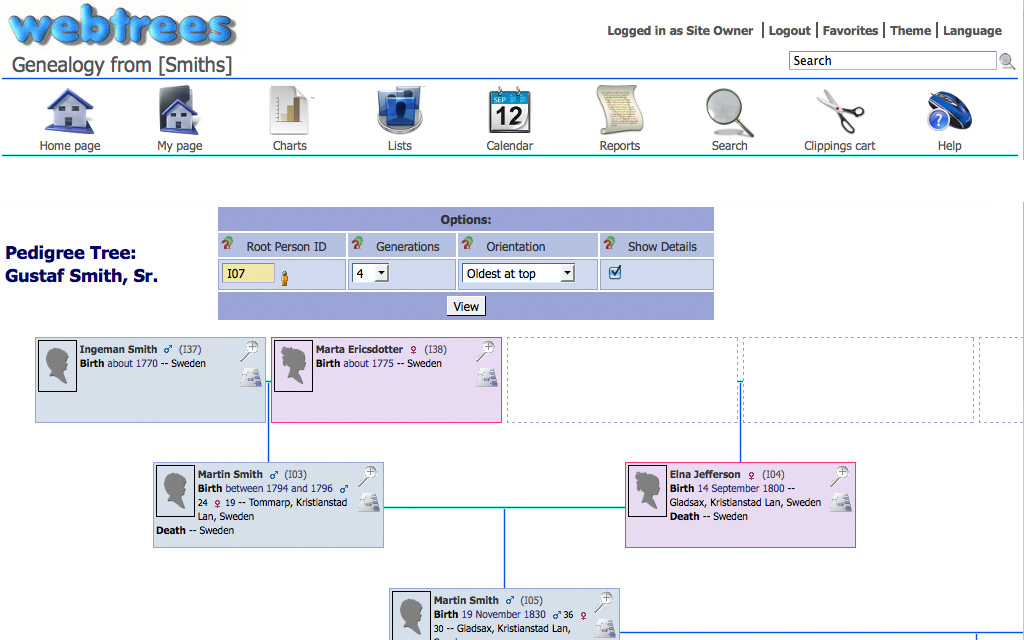
webtrees is the web's leading online collaborative genealogy application.
This addon is based on the docker image https://github.com/NathanVaughn/webtrees-docker
Configuration
Use the add-on env_vars option to pass extra environment variables (uppercase or lowercase names). See https://github.com/alexbelgium/hassio-addons/wiki/Add-Environment-variables-to-your-Addon-2 for details.
Webui can be found at http://homeassistant:PORT.
The name and password are defined through the startup wizard.
Options can be configured through two ways :
- Addon options
LANG: "en-US" # Default language for webtrees
BASE_URL: "http://192.168.178.69" # The url with which you access webtrees
DB_TYPE: "sqlite" # Your database type : sqlite for automatic configuration, or external for manual config
CONFIG_LOCATION: location of the config.yaml (see below)
localdisks: sda1 #put the hardware name of your drive to mount separated by commas, or its label. ex. sda1, sdb1, MYNAS... Add a folder to mount only it, ex. MYNAS/public mounts at /mnt/MYNAS/public (add-on versions released after 2026-09-19)
networkdisks: "//SERVER/SHARE" # optional, list of smb servers to mount, separated by commas
cifsusername: "username" # optional, smb username, same for all smb shares
cifspassword: "password" # optional, smb password
trusted_headers: single address, or a range of addresses in CIDR format
base_url_portless: base url without port
- Config.yaml
Custom env variables can be added to the config.yaml file referenced in the addon options. Folder containing this is not a part of root/config directory (where HA's configuration.yaml is), but /root/app_configs (HA documentation). Full env variables can be found here : https://github.com/linuxserver/docker-paperless-ng. It must be entered in a valid yaml format, that is verified at launch of the addon.
Installation
The installation of this add-on is pretty straightforward and not different in comparison to installing any other add-on.
- Add my add-ons repository to your home assistant instance (in supervisor addons store at top right, or click button below if you have configured my HA)

- Install this add-on.
- Click the
Savebutton to store your configuration. - Set the add-on options to your preferences
- Start the add-on.
- Check the logs of the add-on to see if everything went well.
- Open the webUI and adapt the software options
Remote access
It is possible to expose this add-on for external access (for family and friends). This can be done for free, and without exposing your network to the outside. One of the solutions for this is a Cloudflare tunnel. There’s plenty of materials on how to do this on the forum and on YouTube, together with securing it with additional rules and Google email verification. Here are the considerations for configuring the integrations:
Webtrees config
BASE_URL: httpS://your_tunnel_domain_name.example.com
# This is the external URL you'll be accessing the page with.
# Even though the base configuration of the add-on doesn't use SSL, when using Cloudflare it's important the base_url has https
# This is because when tunnel is running, Cloudflare will apply its own SSL to connection.
# If base_url has http://, this will cause a mismatch and some blocks will not load correctly
ssl: false #disabled, Cloudflare takes care of this
base_url_portless: true #must be enabled

#rest is standard
DATA_LOCATION: /config/data
certfile: fullchain.pem
keyfile: privkey.pem
Cloudflared config
external_hostname: "" #none, to keep HA accessible only through Nabu Casa, but can be used to do both
additional_hosts:
  - hostname: your_tunnel_domain_name.example.com #notice that it's the same as in webtrees config
    service: http://your_HA_IP:9999 #notice that here it's http and with port, despite webtrees being configured portless
tunnel_name: Your_tunnel_name
Support
Create an issue on github
Illustration