mirror of
https://github.com/alexbelgium/hassio-addons.git
synced 2026-01-11 18:31:02 +01:00

77 lines
4.3 KiB
Markdown
77 lines
4.3 KiB
Markdown
# Home assistant add-on: Codex
|
|
|
|
[![Donate][donation-badge]](https://www.buymeacoffee.com/alexbelgium)
|
|
|
|

|
|

|
|

|
|
|
|
[](https://www.codacy.com/gh/alexbelgium/hassio-addons/dashboard?utm_source=github.com&utm_medium=referral&utm_content=alexbelgium/hassio-addons&utm_campaign=Badge_Grade)
|
|
[](https://github.com/alexbelgium/hassio-addons/actions/workflows/weekly-supelinter.yaml)
|
|
[](https://github.com/alexbelgium/hassio-addons/actions/workflows/onpush_builder.yaml)
|
|
|
|
[donation-badge]: https://img.shields.io/badge/Buy%20me%20a%20coffee-%23d32f2f?logo=buy-me-a-coffee&style=flat&logoColor=white
|
|
|
|
_Thanks to everyone having starred my repo! To star it click on the image below, then it will be on top right. Thanks!_
|
|
|
|
[](https://github.com/alexbelgium/hassio-addons/stargazers)
|
|
|
|
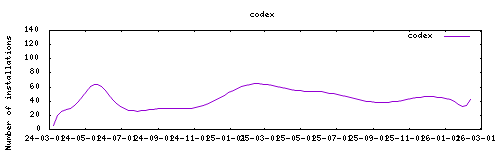
|
|
|
|
## About
|
|
|
|
---
|
|
|
|
[Codex](https://github.com/ajslater/codex) is a web based comic archive browser and reader
|
|
This addon is based on the official docker image : https://hub.docker.com/r/ajslater/codex
|
|
|
|
## Installation
|
|
|
|
---
|
|
|
|
The installation of this add-on is pretty straightforward and not different in comparison to installing any other add-on.
|
|
|
|
1. Add my add-ons repository to your home assistant instance (in supervisor addons store at top right, or click button below if you have configured my HA)
|
|
[](https://my.home-assistant.io/redirect/supervisor_add_addon_repository/?repository_url=https%3A%2F%2Fgithub.com%2Falexbelgium%2Fhassio-addons)
|
|
1. Install this add-on.
|
|
1. Click the `Save` button to store your configuration.
|
|
1. Set the add-on options to your preferences
|
|
1. Start the add-on.
|
|
1. Check the logs of the add-on to see if everything went well.
|
|
1. Open the webUI and adapt the software options
|
|
|
|
## Configuration
|
|
|
|
Webui can be found at <http://homeassistant:PORT>.
|
|
The default username/password : described in the startup log.
|
|
Configurations can be done through the app webUI, except for the following options
|
|
|
|
## Add theme/squeleton
|
|
|
|
You can place the user folder from the theme/skeleton in /share/codex/www/user,
|
|
|
|
## Options
|
|
|
|
```yaml
|
|
PGID: user
|
|
GPID: user
|
|
TZ : will explicitly the timezone in long format (e.g. "America/Los Angeles"). This is useful inside Docker because codex cannot automatically detect the host machine's timezone
|
|
CODEX_RESET_ADMIN=1 : will reset the admin user and its password to defaults when codex starts.
|
|
CODEX_SKIP_INTEGRITY_CHECK=1 : will skip the database integrity repair that runs when codex starts
|
|
csrf_allowed : comma separated list of addresses allowed to access the app
|
|
localdisks: sda1 #put the hardware name of your drive to mount separated by commas, or its label. ex. sda1, sdb1, MYNAS...
|
|
networkdisks: "//SERVER/SHARE" # optional, list of smb servers to mount, separated by commas
|
|
cifsusername: "username" # optional, smb username, same for all smb shares
|
|
cifspassword: "password" # optional, smb password
|
|
```
|
|
|
|
## Illustration
|
|
|
|

|
|
|
|
## Support
|
|
|
|
Create an issue on github
|
|
|
|
[repository]: https://github.com/alexbelgium/hassio-addons
|