mirror of
https://github.com/alexbelgium/hassio-addons.git
synced 2026-01-11 10:21:02 +01:00

55 lines
3.6 KiB
Markdown
55 lines
3.6 KiB
Markdown
|
|
# Home assistant add-on: Flaresolver
|
|
|
|
[![Donate][donation-badge]](https://www.buymeacoffee.com/alexbelgium)
|
|
[![Donate][paypal-badge]](https://www.paypal.com/donate/?hosted_button_id=DZFULJZTP3UQA)
|
|
|
|

|
|

|
|

|
|
|
|
[](https://www.codacy.com/gh/alexbelgium/hassio-addons/dashboard?utm_source=github.com&utm_medium=referral&utm_content=alexbelgium/hassio-addons&utm_campaign=Badge_Grade)
|
|
[](https://github.com/alexbelgium/hassio-addons/actions/workflows/weekly-supelinter.yaml)
|
|
[](https://github.com/alexbelgium/hassio-addons/actions/workflows/onpush_builder.yaml)
|
|
|
|
[donation-badge]: https://img.shields.io/badge/Buy%20me%20a%20coffee%20(no%20paypal)-%23d32f2f?logo=buy-me-a-coffee&style=flat&logoColor=white
|
|
[paypal-badge]: https://img.shields.io/badge/Buy%20me%20a%20coffee%20with%20Paypal-0070BA?logo=paypal&style=flat&logoColor=white
|
|
|
|
_Thanks to everyone having starred my repo! To star it click on the image below, then it will be on top right. Thanks!_
|
|
|
|
[](https://github.com/alexbelgium/hassio-addons/stargazers)
|
|
|
|
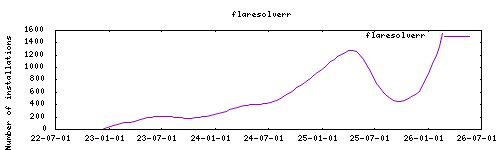
|
|
|
|
## About
|
|
|
|
FlareSolverr starts a proxy server and it waits for user requests in an idle state using few resources. When some request arrives, it uses puppeteer with the stealth plugin to create a headless browser (Firefox). It opens the URL with user parameters and waits until the Cloudflare challenge is solved (or timeout). The HTML code and the cookies are sent back to the user, and those cookies can be used to bypass Cloudflare using other HTTP clients.
|
|
|
|
NOTE: Web browsers consume a lot of memory. If you are running FlareSolverr on a machine with few RAM, do not make many requests at once. With each request a new browser is launched.
|
|
|
|
Project homepage : https://github.com/FlareSolverr/FlareSolverr
|
|
|
|
Based on the docker image : https://hub.docker.com/r/flaresolverr/flaresolverr
|
|
|
|
## Configuration
|
|
|
|
Webui can be found at <http://homeassistant:port>
|
|
|
|
## Installation
|
|
|
|
The installation of this add-on is pretty straightforward and not different in
|
|
comparison to installing any other Hass.io add-on.
|
|
|
|
1. [Add my Hass.io add-ons repository][repository] to your Hass.io instance.
|
|
1. Install this add-on.
|
|
1. Click the `Save` button to store your configuration.
|
|
1. Start the add-on.
|
|
1. Check the logs of the add-on to see if everything went well.
|
|
1. Carefully configure the add-on to your preferences, see the official documentation for for that.
|
|
|
|
## Support
|
|
|
|
Create an issue on github
|
|
|
|
[repository]: https://github.com/alexbelgium/hassio-addons
|