10 KiB
Home assistant add-on: qbittorrent
-%23d32f2f?logo=buy-me-a-coffee&style=flat&logoColor=white)






Thanks to everyone having starred my repo! To star it click on the image below, then it will be on top right. Thanks!

About
Qbittorrent is a cross-platform free and open-source BitTorrent client. This addon is based on the docker image from linuxserver.io.
This addons has several configurable options :
- allowing to mount local external drive, or smb share from the addon
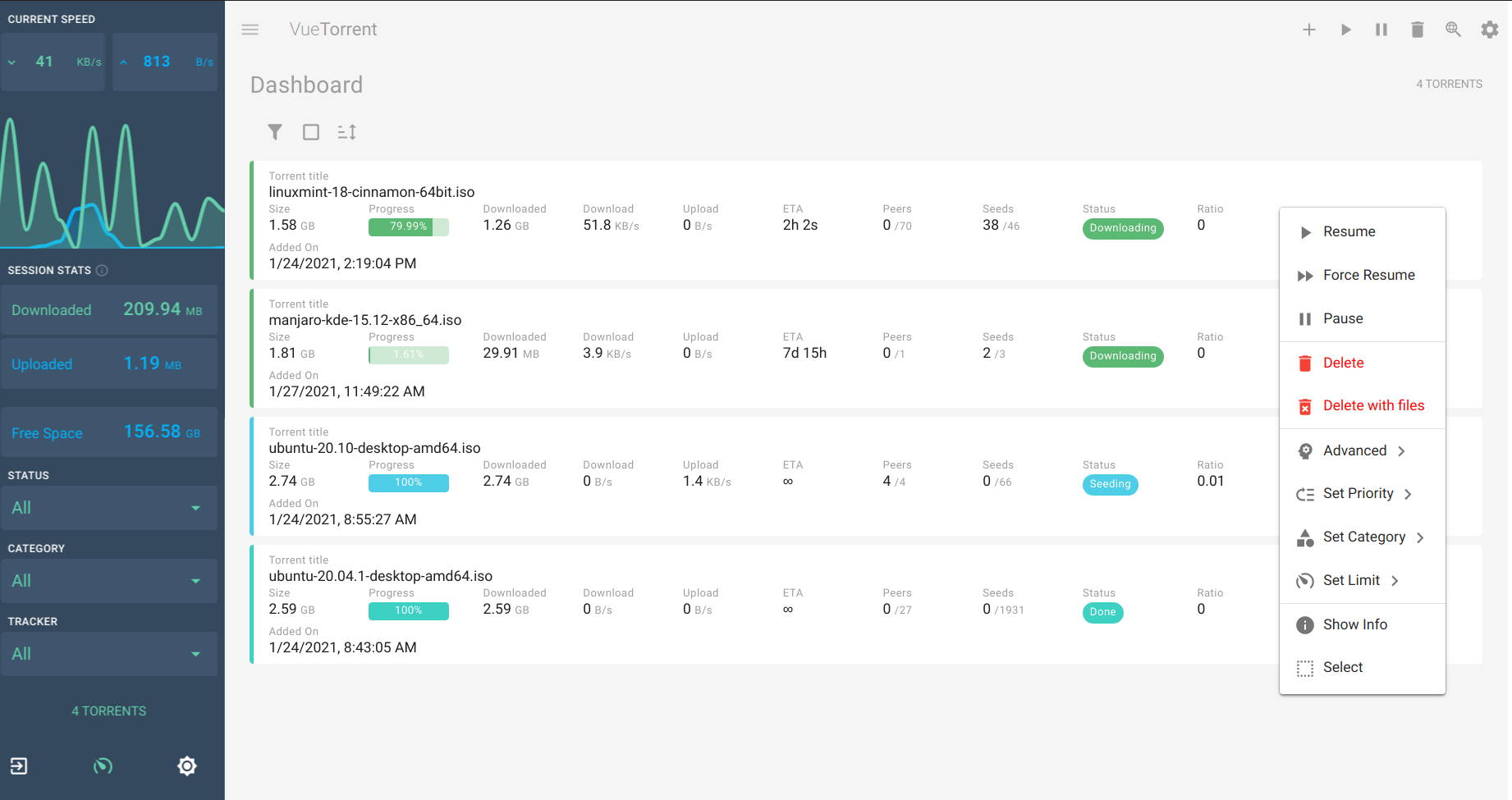
- alternative webUI
- usage of ssl
- ingress
- optional openvpn support
- allow setting specific DNS servers
Configuration
Webui can be found at http://homeassistant:8080, or in your sidebar using Ingress. The default username/password is described in the startup log.
Network disk is mounted to /mnt/<share_name>. You need to map the exposed port in your router for best speed and connectivity.
Options
| Option | Type | Default | Description |
|---|---|---|---|
PGID |
int | 0 |
Group ID for file permissions |
PUID |
int | 0 |
User ID for file permissions |
TZ |
str | Timezone (e.g., Europe/London) |
|
Username |
str | admin |
Admin username for web interface |
SavePath |
str | /share/qBittorrent |
Default download directory |
ssl |
bool | false |
Enable HTTPS for web interface |
certfile |
str | fullchain.pem |
SSL certificate file (in /ssl/) |
keyfile |
str | privkey.pem |
SSL private key file (in /ssl/) |
whitelist |
str | localhost,127.0.0.1,... |
IP subnets that don't need password |
customUI |
list | vuetorrent |
Alternative web UI (default/vuetorrent/qbit-matUI/qb-web/custom) |
DNS_server |
str | 8.8.8.8,1.1.1.1 |
Custom DNS servers |
localdisks |
str | Local drives to mount (e.g., sda1,sdb1,MYNAS) |
|
networkdisks |
str | SMB shares to mount (e.g., //SERVER/SHARE) |
|
cifsusername |
str | SMB username for network shares | |
cifspassword |
str | SMB password for network shares | |
cifsdomain |
str | SMB domain for network shares | |
openvpn_enabled |
bool | false |
Enable OpenVPN connection |
openvpn_config |
str | OpenVPN config file name (in /config/openvpn/) |
|
openvpn_username |
str | OpenVPN username | |
openvpn_password |
str | OpenVPN password | |
openvpn_alt_mode |
bool | false |
Bind at container level instead of app level |
qbit_manage |
bool | false |
Enable qBit Manage integration |
run_duration |
str | Run duration (e.g., 12h, 5d) |
|
silent |
bool | false |
Suppress debug messages |
Example Configuration
PGID: 0
PUID: 0
TZ: "Europe/London"
Username: "admin"
SavePath: "/share/qBittorrent"
ssl: true
certfile: "fullchain.pem"
keyfile: "privkey.pem"
whitelist: "localhost,192.168.0.0/16"
customUI: "vuetorrent"
DNS_server: "8.8.8.8,1.1.1.1"
localdisks: "sda1,sdb1"
networkdisks: "//192.168.1.100/downloads"
cifsusername: "username"
cifspassword: "password"
openvpn_enabled: false
Mounting Drives
This addon supports mounting both local drives and remote SMB shares:
- Local drives: See Mounting Local Drives in Addons
- Remote shares: See Mounting Remote Shares in Addons
Custom Scripts and Environment Variables
This addon supports custom scripts and environment variables through the addon_config mapping:
- Custom scripts: See Running Custom Scripts in Addons
- Environment variables: See Add Environment Variables to your Addon
Installation
The installation of this add-on is pretty straightforward and not different in comparison to installing any other add-on.
- Add my add-ons repository to your home assistant instance (in supervisor addons store at top right, or click button below if you have configured my HA)

- Install this add-on.
- Click the
Savebutton to store your configuration. - Set the add-on options to your preferences
- Start the add-on.
- Check the logs of the add-on to see if everything went well.
- Open the webUI and adapt the software options
Integration with HA
Use the qBittorrent integration
You can use the following snippets to check and set the alternate speeds (the HA integration above is not needed for this)
shell_command:
  toggle_torrent_speed: curl -X POST https://<YOUR HA IP>:8081/api/v2/transfer/toggleSpeedLimitsMode -k
sensor:
  - platform: command_line
    name: get_torrent_speed
    command: curl https://<YOUR HA IP>:8081/api/v2/transfer/speedLimitsMode -k
If you're not using the SSL option, you can skip the -k parameter and use http instead of https in the URL
These lines will expose a sensor.get_torrent_speed that updates every 60 seconds and returns 1 if the alternate speed mode is enabled, 0 otherwise, and a shell_command.toggle_torrent_speed that you can call as a Service in your automations
Common issues
### ipv6 issues with openvpn (@happycoo)
Add this code to your .ovpn config# don't route lan through vpn
route 192.168.1.0 255.255.255.0 net_gateway
# deactivate ipv6
pull-filter ignore "dhcp-option DNS6"
pull-filter ignore "tun-ipv6"
pull-filter ignore "ifconfig-ipv6"
### 100% cpu
Delete your nova3 folder in /config and restart qbittorrent### Monitored folders (@FaliseDotCom)
- go to config\addons_config\qBittorrent
- find (or create) the file watched_folders.json
- paste or adjust to the following:
{
  "folder/to/watch": {
    "add_torrent_params": {
      "category": "",
      "content_layout": "Original",
      "download_limit": -1,
      "download_path": "[folder/for/INCOMPLETE_downloads]",
      "operating_mode": "AutoManaged",
      "ratio_limit": -2,
      "save_path": "[folder/for/COMPLETED_downloads]",
      "seeding_time_limit": -2,
      "skip_checking": false,
      "stopped": false,
      "tags": [],
      "upload_limit": -1,
      "use_auto_tmm": false,
      "use_download_path": true
    },
    "recursive": false
  }
}
### nginx error code (@Nanianmichaels)
[cont-init.d] 30-nginx.sh: executing... [cont-init.d] 30-nginx.sh: exited 1.
Wait a couple minutes and restart addon, it could be a temporary unavailability of github
Local mount with invalid argument (@antonio1475)
[cont-init.d] 00-local_mounts.sh: executing... Local Disks mounting... mount: mounting /dev/sda1 on /mnt/sda1 failed: Invalid argument [19:19:44] FATAL: Unable to mount local drives! Please check the name. [cont-init.d] 00-local_mounts.sh: exited 0.
Try to mount by putting the partition label in the "localdisks" options instead of the hardware name
### Loss of metadata fetching with openvpn after several days (@almico)
Add ping-restart 60 to your config.ovpn
### Downloads info are empty on small scale window (@aviadlevy)
When my window size width is lower than 960 pixels my downloads are empty. Solution is to reset the Vuetorrent settings.
Support
Create an issue on github, or ask on the home assistant thread