mirror of
https://github.com/alexbelgium/hassio-addons.git
synced 2026-01-11 02:11:01 +01:00

72 lines
3.6 KiB
Markdown
72 lines
3.6 KiB
Markdown
# Home assistant add-on: fireflyiii
|
|
|
|
[![Donate][donation-badge]](https://www.buymeacoffee.com/alexbelgium)
|
|
|
|
[donation-badge]: https://img.shields.io/badge/Buy%20me%20a%20coffee-%23d32f2f?logo=buy-me-a-coffee&style=flat&logoColor=white
|
|
|
|
![Supports
|
|
Architecture][aarch64-shield] ![Supports amd64 Architecture][amd64-shield] ![Supports armhf Architecture][armhf-shield] ![Supports armv7 Architecture][armv7-shield]
|
|
![Supports smb mounts][smb-shield]
|
|
|
|
_Thanks to everyone having starred my repo! To star it click on the image below, then it will be on top right. Thanks!_
|
|
|
|
[](https://github.com/alexbelgium/hassio-addons/stargazers)
|
|
|
|
## About
|
|
|
|
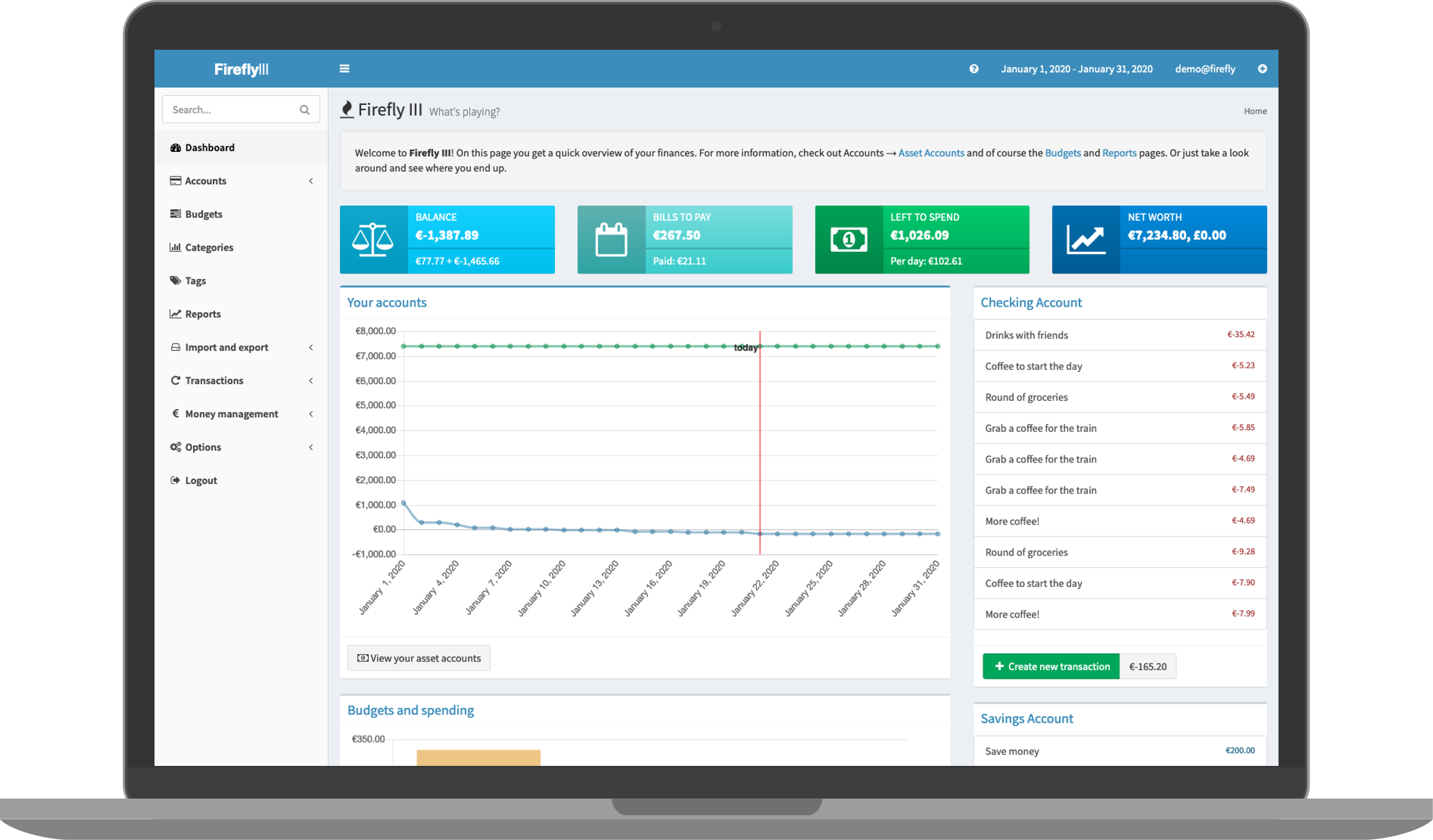
["Firefly III"](https://www.firefly-iii.org) is a (self-hosted) manager for your personal finances. It can help you keep track of your expenses and income, so you can spend less and save more.
|
|
This addon is based on the docker image https://hub.docker.com/r/fireflyiii/core
|
|
|
|
## Configuration
|
|
|
|
PLEASE CHANGE YOUR APP_KEY BEFORE FIRST LAUNCH! YOU WON'T BE ABLE AFTERWRADS WITHOUT RESETTING YOUR DATABASE.
|
|
|
|
Options can be configured through two ways :
|
|
|
|
- Addon options
|
|
|
|
```yaml
|
|
"CONFIG_LOCATION": location of the config.yaml # Sets the location of the config.yaml (see below)
|
|
"DB_CONNECTION": "list(sqlite_internal|mariadb_addon|mysql|pgsql)" # Defines the type of database to use : sqlite (default, embedded in the addon) ; MariaDB (auto-detection if the MariaDB addon is installed and runs), and external databases that requires that the other DB_ fields are set (mysql and pgsql)
|
|
"APP_KEY": 12 characters # This is your encryption key, don't lose it!
|
|
"DB_HOST": "CHANGEME" # only needed if using a remote database
|
|
"DB_PORT": "CHANGEME" # only needed if using a remote database
|
|
"DB_DATABASE": "CHANGEME" # only needed if using a remote database
|
|
"DB_USERNAME": "CHANGEME" # only needed if using a remote database
|
|
"DB_PASSWORD": "CHANGEME" # only needed if using a remote database
|
|
```
|
|
|
|
- Config.yaml
|
|
|
|
Configuration is done by customizing the config.yaml in the location defined in your addon options
|
|
|
|
The complete list of options can be seen here : https://raw.githubusercontent.com/firefly-iii/firefly-iii/main/.env.example
|
|
|
|
## Installation
|
|
|
|
The installation of this add-on is pretty straightforward and not different in comparison to installing any other add-on.
|
|
|
|
1. Add my add-ons repository to your home assistant instance (in supervisor addons store at top right, or click button below if you have configured my HA)
|
|
[](https://my.home-assistant.io/redirect/supervisor_add_addon_repository/?repository_url=https%3A%2F%2Fgithub.com%2Falexbelgium%2Fhassio-addons)
|
|
1. Install this add-on.
|
|
1. Click the `Save` button to store your configuration.
|
|
1. Set the add-on options to your preferences
|
|
1. Start the add-on.
|
|
1. Check the logs of the add-on to see if everything went well.
|
|
1. Open the webUI and adapt the software options
|
|
|
|
## Support
|
|
|
|
Create an issue on github
|
|
|
|
## Illustration
|
|
|
|
|
|
|
|
[repository]: https://github.com/alexbelgium/hassio-addons
|
|
[smb-shield]: https://img.shields.io/badge/smb-yes-green.svg
|
|
[aarch64-shield]: https://img.shields.io/badge/aarch64-yes-green.svg
|
|
[amd64-shield]: https://img.shields.io/badge/amd64-yes-green.svg
|
|
[armhf-shield]: https://img.shields.io/badge/armhf-yes-green.svg
|
|
[armv7-shield]: https://img.shields.io/badge/armv7-yes-green.svg
|